Checkout Links
A Checkout Link takes a customer directly to an existing product or offer. Use it for social media, messages, email or a QR code. Individual links are for approved one-time digital sales; recurring billing belongs to supported Business flows.
Create a link
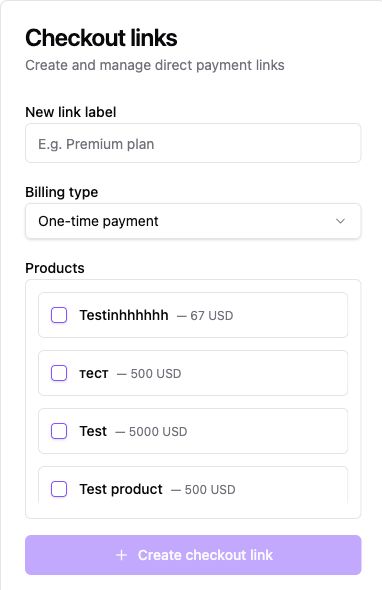
Section titled “Create a link”- Select the store and open Settings → Checkout Links.
- Enter a New link label to identify the offer internally. Under Billing type, choose one-time payment or a supported Business subscription.
- Select Products and review their prices and variants. For a Business subscription, select one digital product and configure the recurring amount, period and interval.
- Click Create checkout link. Open the created link’s details and use Copy to copy its URL. QR and download controls provide other sharing formats.
- Review language, theme, discount, success/return URLs and expiration where shown. Open the link in the intended environment and check the buyer-facing product, currency and total before sharing.
An active product must exist before the link is created. Link availability does not override payment onboarding, seller approval, buyer-market restrictions or inventory checks.
Review the checkout experience
Section titled “Review the checkout experience”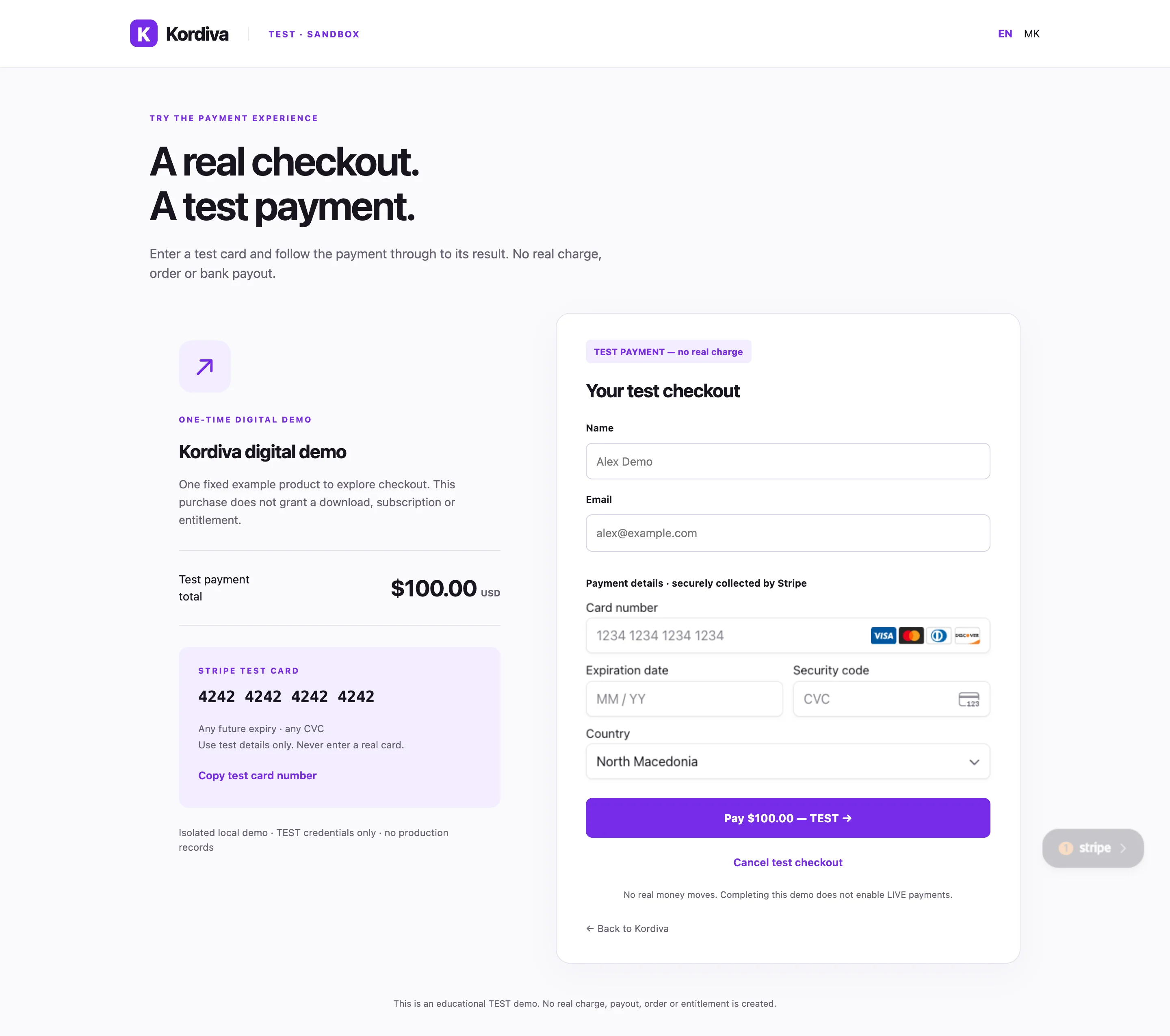
The capture shows the isolated TEST buyer interface, not the authenticated link editor. Individual LIVE payments use Stripe-hosted Checkout after the buyer-location and tax checks. A successful isolated TEST payment does not establish a real store order or download entitlement.
One-time and recurring billing
Section titled “One-time and recurring billing”A one-time link collects a single payment. A supported Business recurring link bills monthly or yearly through Stripe-hosted checkout. A customer’s subscription is separate from your Kordiva plan. Individual Creator or Pro subscriptions do not enable recurring sales to buyers.
A Business subscription link has its own Currency selector, using the registered organization’s allowed currencies. The store currency remains the catalog default. Enter the recurring amount directly in the selected link currency; no automatic FX conversion is performed. Editing the currency applies to future checkout sessions only and does not change existing subscriptions or past invoices. TEST uses the same saved link currency and country policy. Currency and subscription integration details.
Business customer subscriptions
Confirm payment before delivery
Section titled “Confirm payment before delivery”Check the payment and order in Kordiva. A success redirect, copied URL or created session does not confirm payment. For a supported LIVE API integration, use server-side payment confirmation.
If the link does not work
Section titled “If the link does not work”Check the selected store and environment, active product/variant, price, stock, expiration and payment status. For subscriptions, check the one-digital-product requirement and recurring amount. For Individual, check approved digital content, buyer market and tax configuration. Keep private link tokens out of screenshots and public logs.
Related guides
Section titled “Related guides”Products · TEST checkout · Individual checkout · Payment confirmation