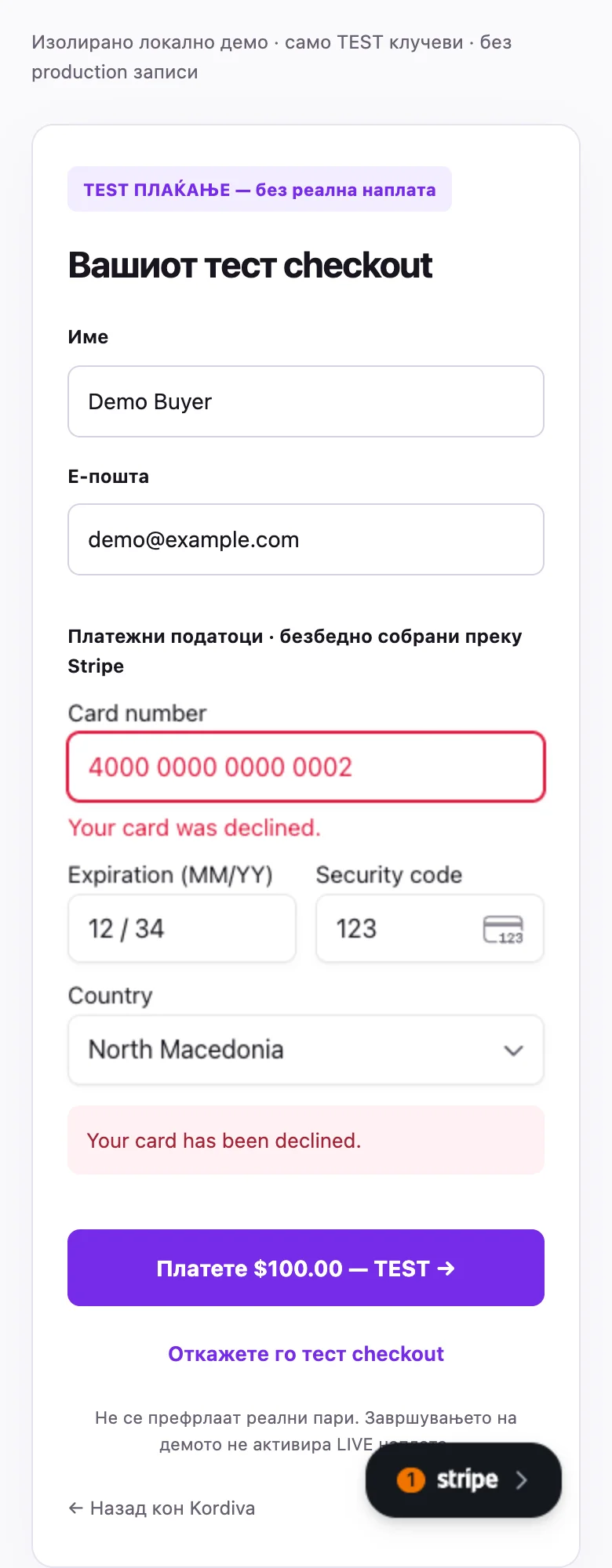
Stripe TEST checkout
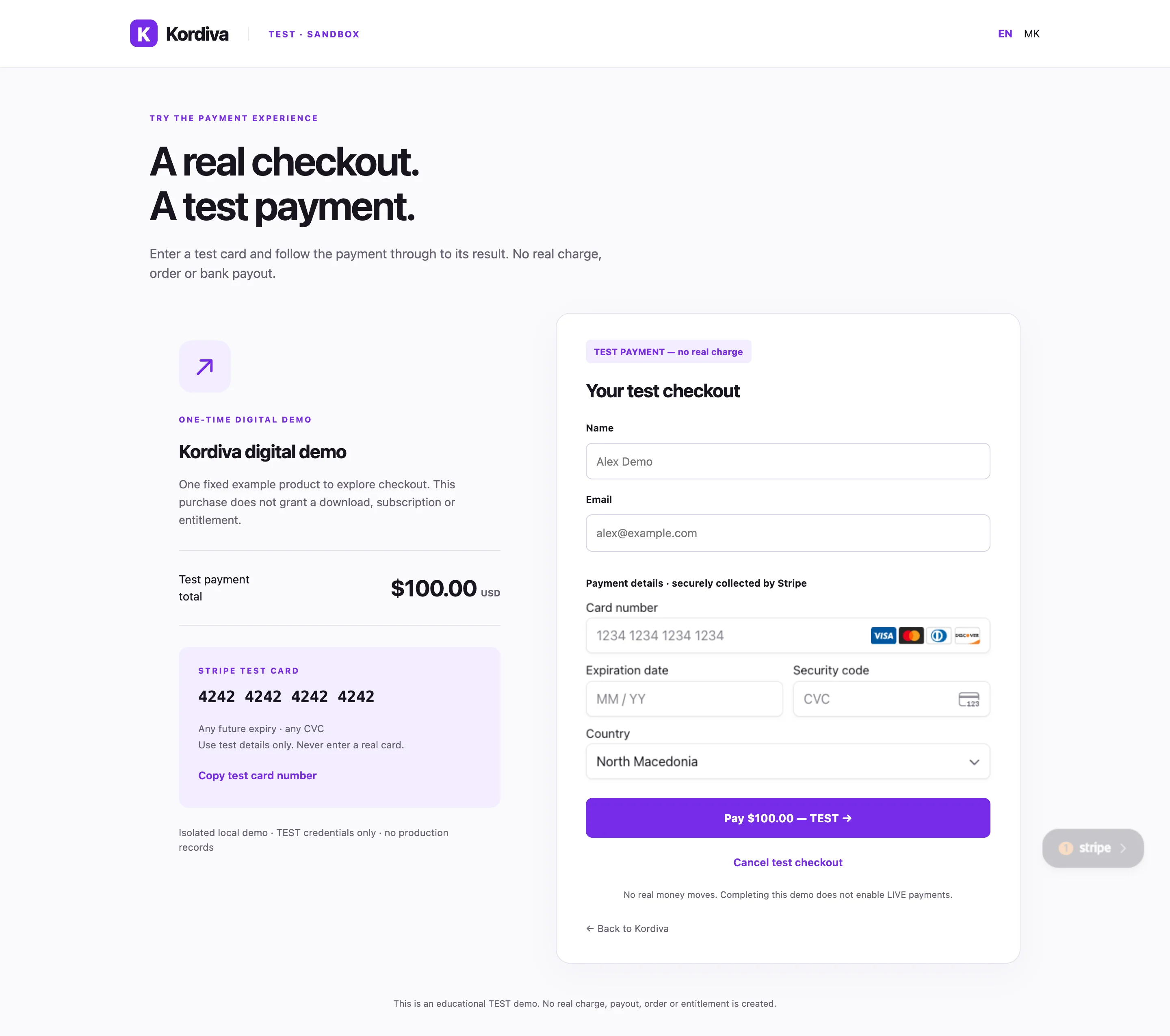
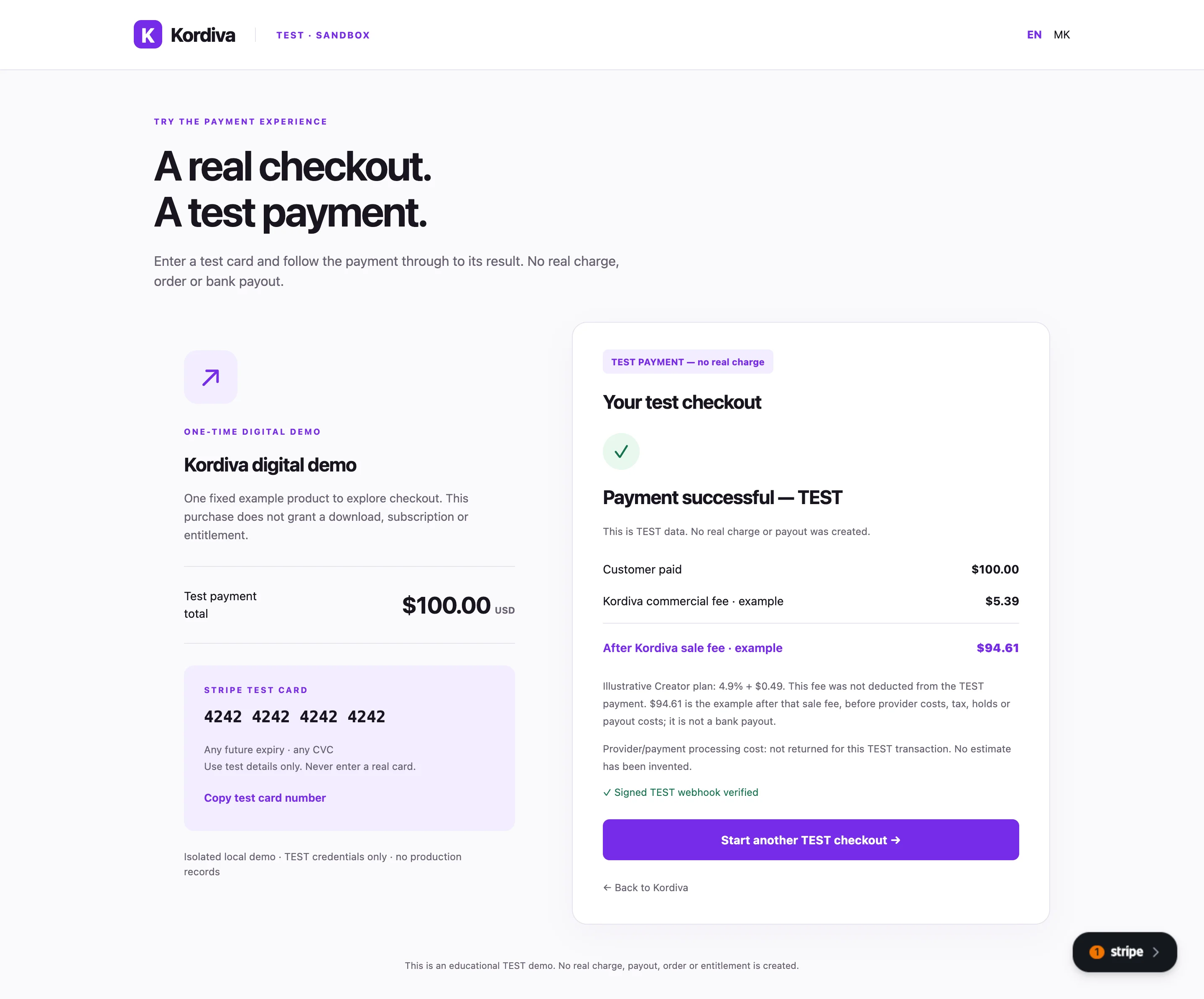
These screenshots show the existing isolated local Kordiva TEST demonstration, including real Stripe-hosted payment fields. They are verified captures, not an Individual production checkout or proof of a store order, download, reserve or payout.
Read the checkout screen
Section titled “Read the checkout screen”- Confirm TEST · SANDBOX and TEST PAYMENT — no real charge before entering anything.
- Review the fictional digital demo and $100.00 USD total. Name and Email are fictitious buyer details in this example.
- Payment details are collected by Stripe. In an authorized TEST session, the demo displays test card 4242 4242 4242 4242, a future expiry and any test CVC. Never enter a real card in this demonstration.
- Pay $100.00 — TEST submits the TEST attempt; Cancel test checkout exits it. No payment was initiated while producing these docs.
- Check the actual result and server confirmation. Success-page arrival alone is insufficient.
Successful, declined or cancelled
Section titled “Successful, declined or cancelled”A success capture demonstrates the isolated TEST payment result. A decline leaves the payment unsuccessful; read the provider message and retry only in the authorized TEST flow. Cancellation is not a refund and is not a paid order.
The commercial-fee calculation in the educational result is illustrative; it is not an actual seller fee deduction. Provider fields can fall back to English in MK; screenshots retain the actual interface.
Related guides
Section titled “Related guides”Environment separation · Individual checkout · Confirmation and errors